

Enterprise workflows for consumer DJI™ drones
Consumer drones can now fly enterprise-style missions — not because the hardware caught up, but because the planning finally exists. RTK and a mechanical shutter remain real advantages that no software replaces. What software can do is write a mission worth flying: around structures, along corridors, over ground that isn't flat or computed against a 3D model of the real site. The aircraft sets the ceiling. The plan is how you get anywhere near it.
From idea to flight in three steps
Draw or Import your area
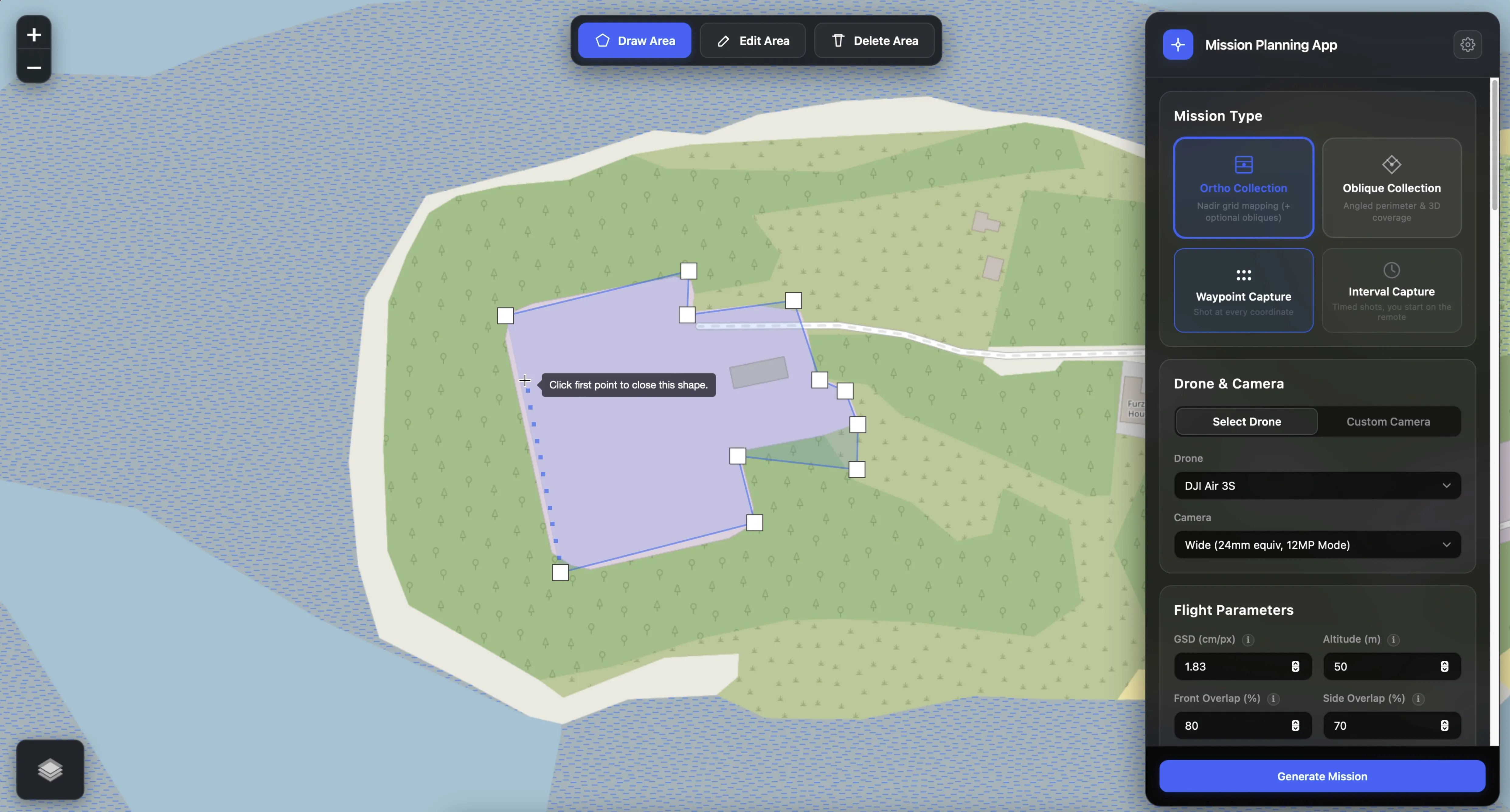
Hit Draw Area on the map toolbar. Click out your survey boundary on the map — any shape, any size, even concave — or import a KML / GeoJSON boundary you already have. Edit vertices at any time. The planner takes care of the geometry from there.
Generate Mission
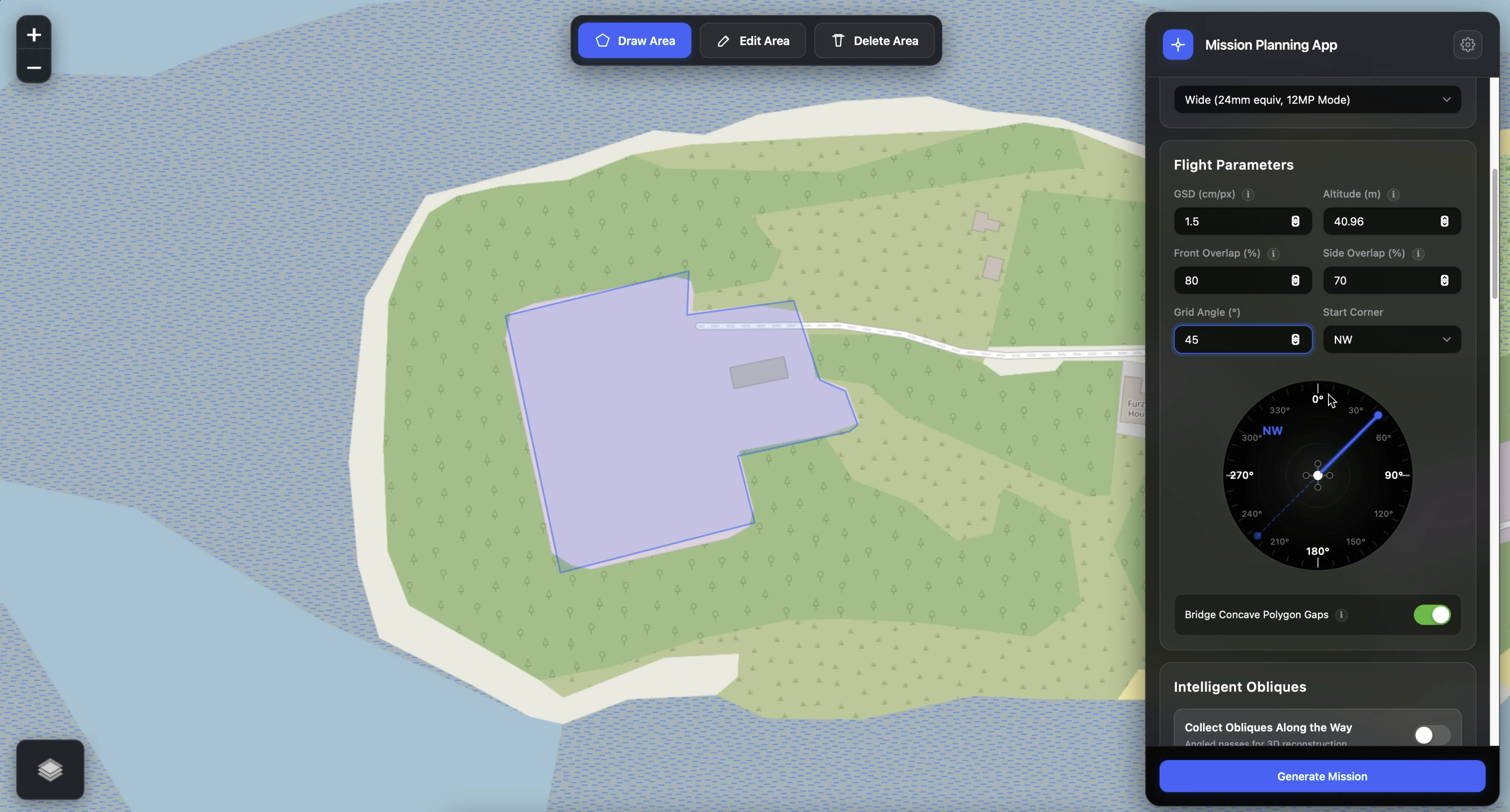
Select your drone preset, dial in altitude (or target a specific GSD) and your front and side overlap. Hit Generate Mission — flight lines, waypoint count, photo count and estimated flight time calculate instantly. Export a DJI™ KMZ (WPML) — or a Litchi CSV — with one click.
Load it and fly
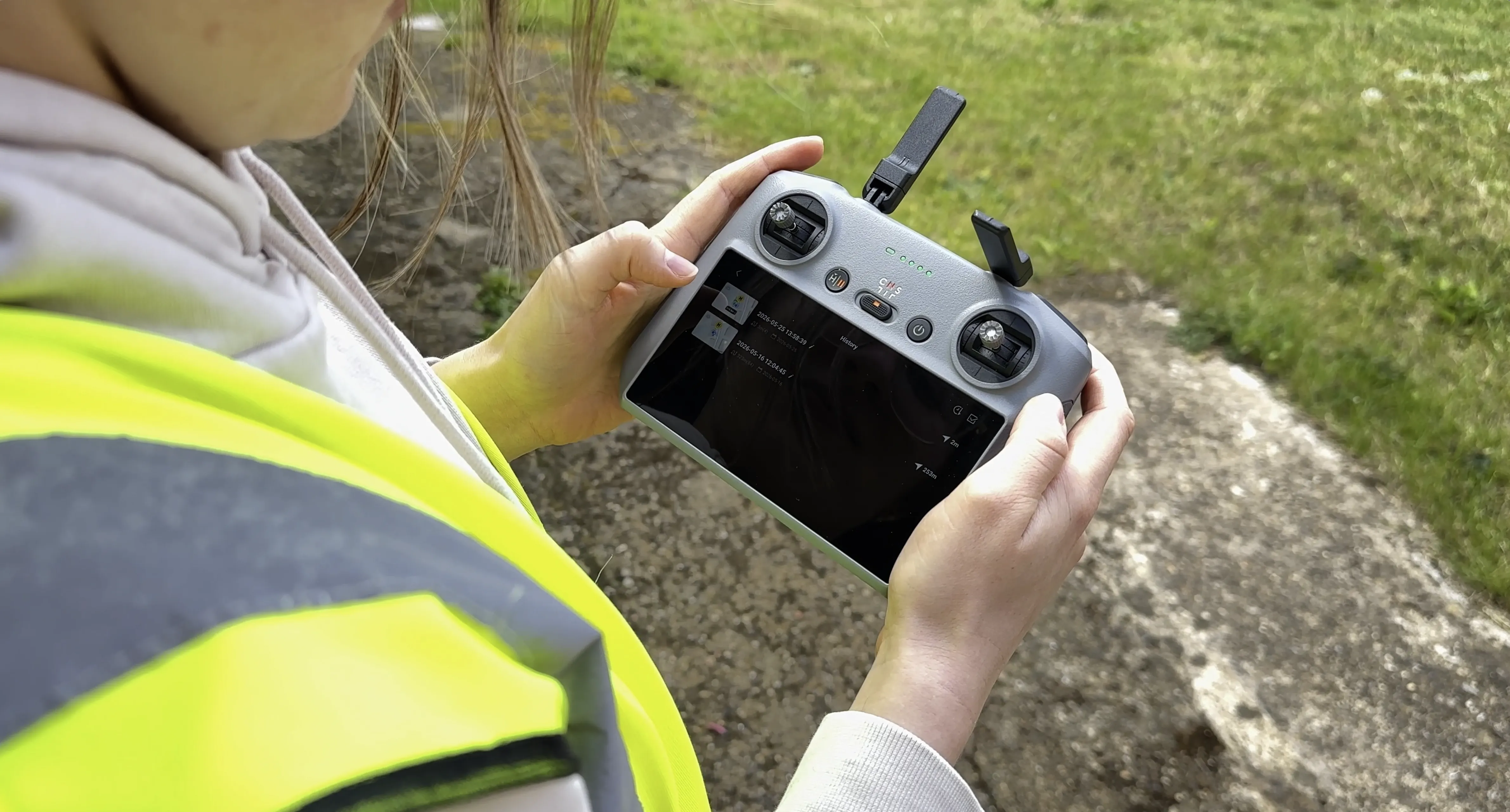
Transfer the KMZ to your DJI™ RC2 controller or load it via DJI Fly™. The mission runs autonomously — takeoff, survey pattern, RTH — with all your finish actions, global speed and RC-lost settings baked right in.
Choose how you collect
Six core mission geometries. Pick what suits your drone, subject and conditions — or combine them for a complete reconstruction.
Nadir grid mapping
Straight-down lawnmower passes for clean orthomosaics and dense point clouds.
Orthomosaic mapping in depth →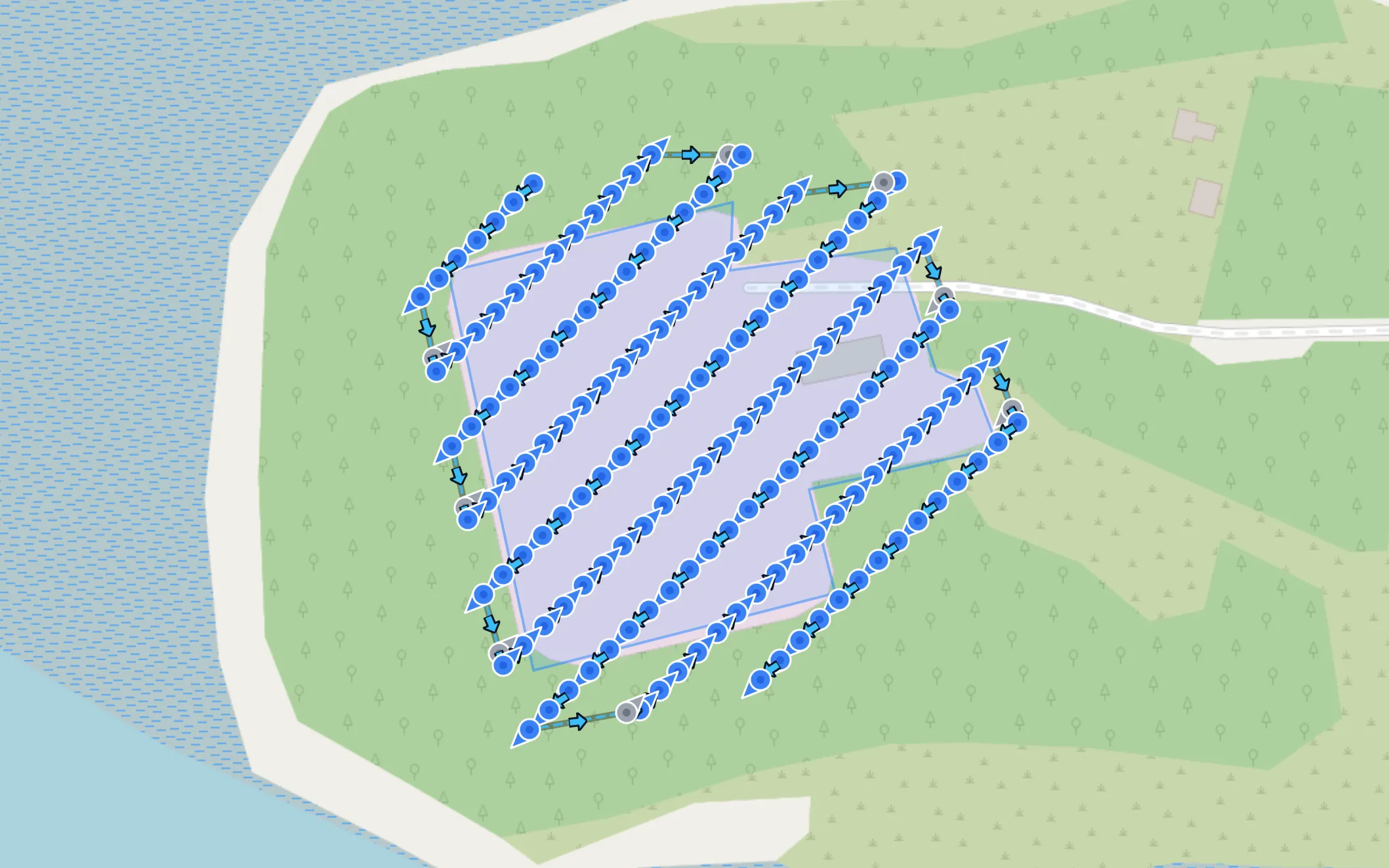
A photo triggers at each waypoint coordinate. The drone can decelerate before each shot for precise timing — ideal in variable wind or at lower cruise speeds.
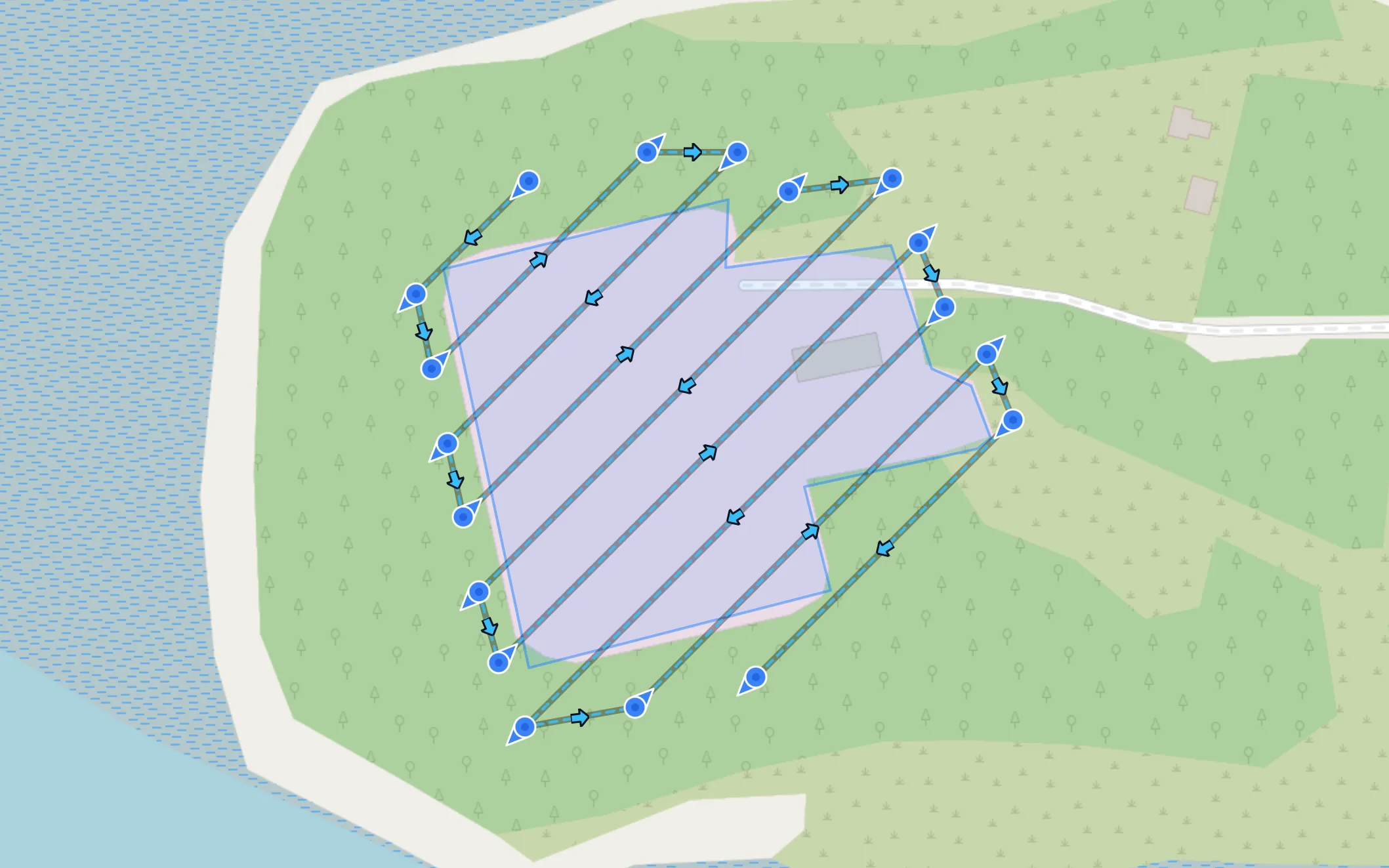
Continuous timed shooting while the drone flies at cruise speed. The planner calculates the speed vs shutter interval ratio from your target front overlap — generally faster but less precise.
Angled 3D Structure Capture
Pitched-gimbal passes designed to capture façade, wall, and structural details for high-fidelity 3D reconstructions. For one building up close — walls and, with roof capture, the roof — see Façade Mapping.
Oblique 3D capture in depth →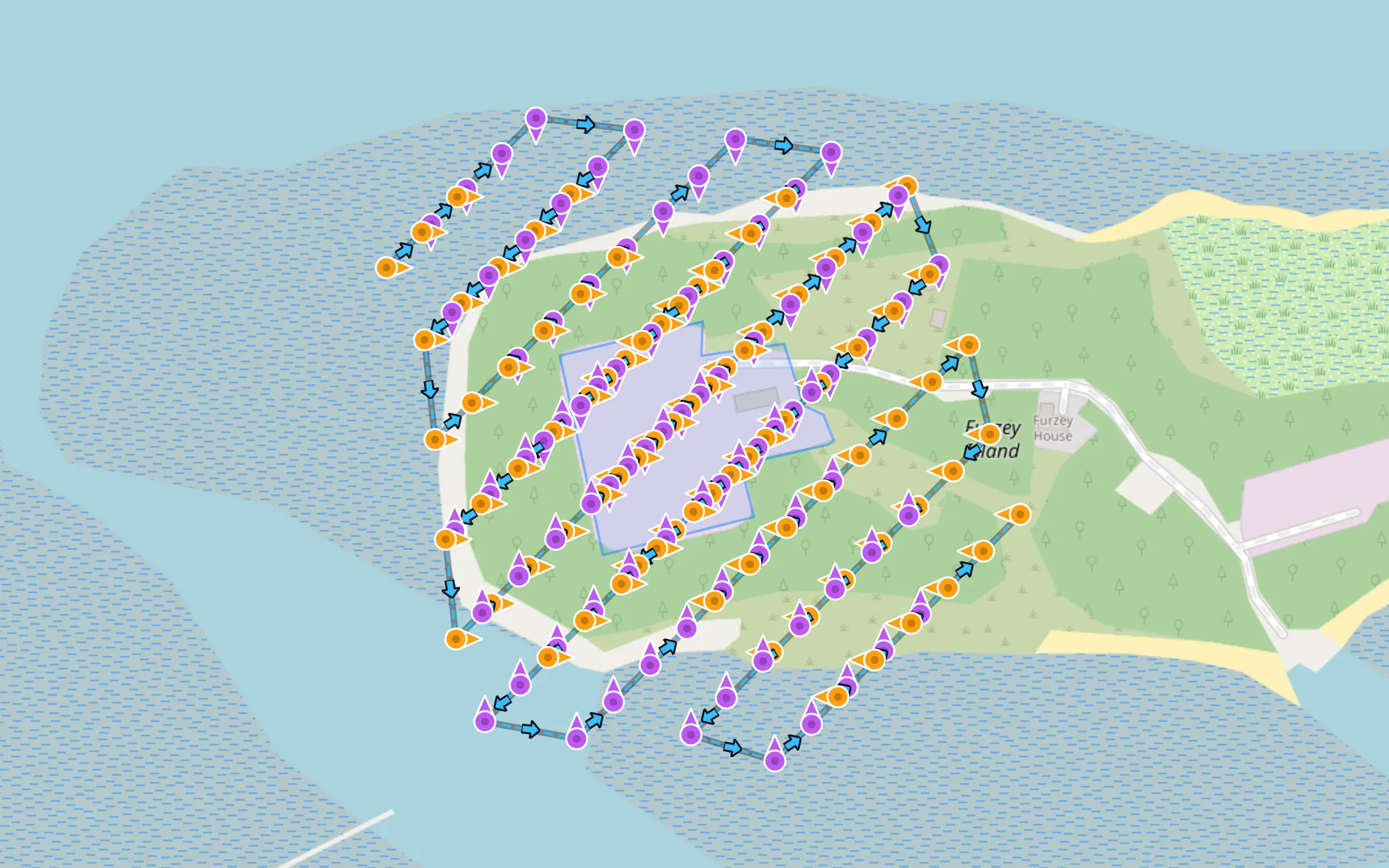
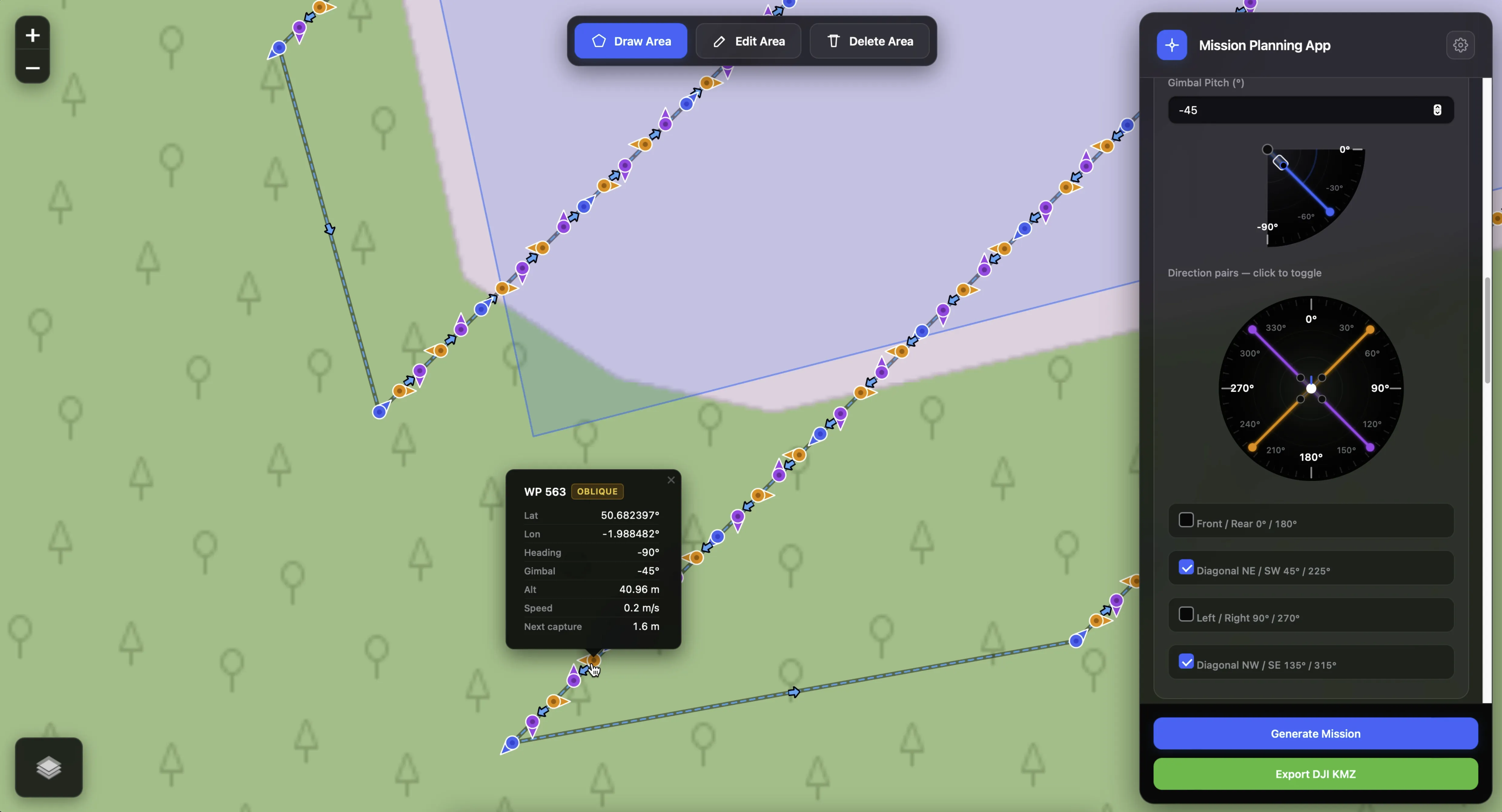
Select from 4 bidirectional axis pairs (like N/S or E/W) and generate an all-in-one lawnmower grid that captures opposite headings in a single battery-efficient flight. The planner automatically extends the lines beyond your drawn perimeter ensuring the vertical edges of your asset get perfect overlap.
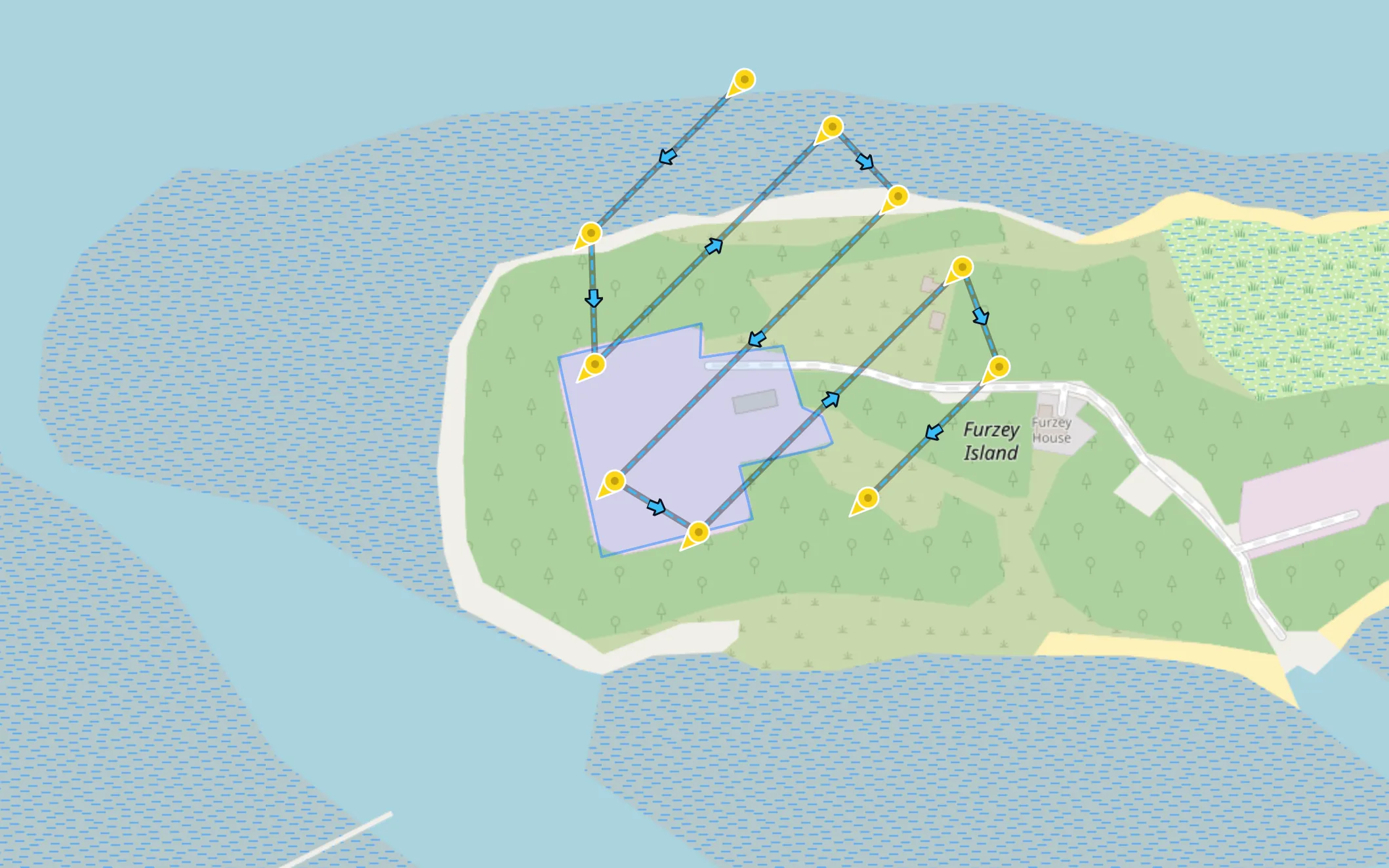
Choose from 8 distinct, absolute cardinal directions. The planner generates a continuous timed-shooting mission where the drone flies the grid layout with its heading locked strictly toward your target direction. Select multiple angles to stitch them together into a seamless flight plan.
Linear route & corridor coverage
Roads, railways, pipelines, power lines and rivers — draw the route, not the rectangle.
Corridor mapping in depth →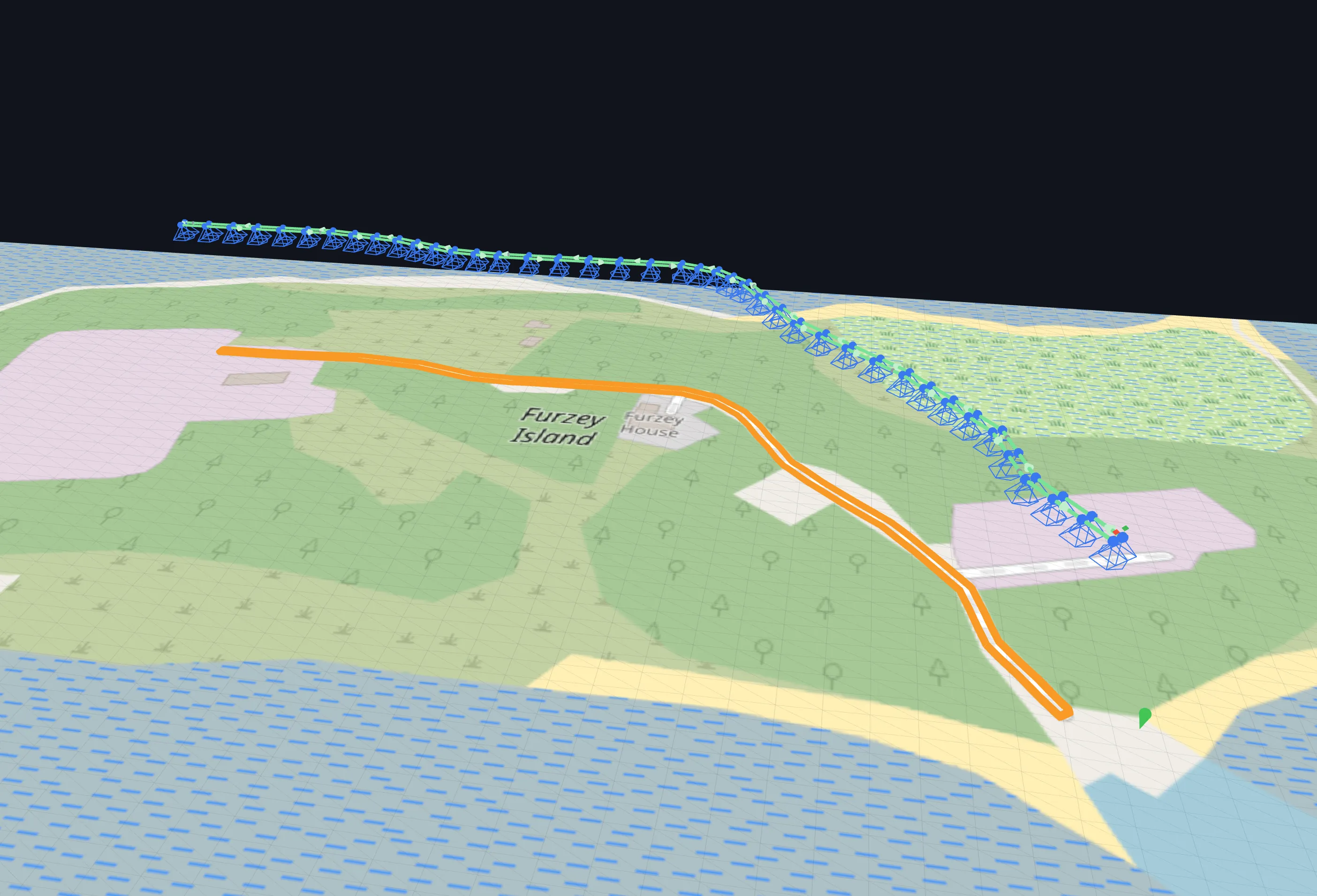
Draw a polyline along your subject and set a corridor width — the planner lays parallel passes that follow every bend, covering the full width with your chosen side overlap. Leave the width at zero to fly a single line straight down the route, with terrain follow the whole way.
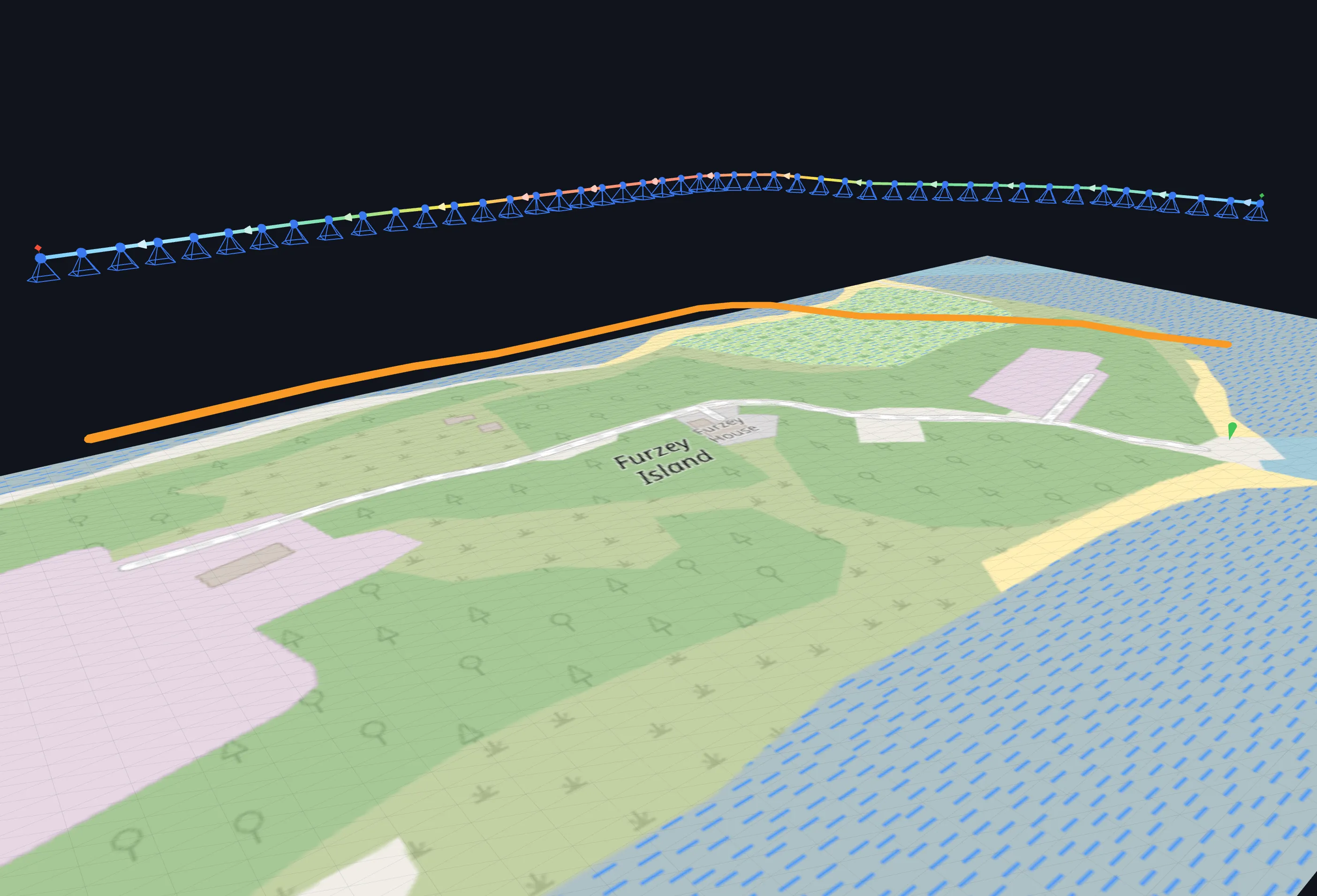
Inspecting a power line or elevated pipeline? Set the subject height and the drone follows the subject itself at a constant clearance, keeping the sampling distance on the subject — not just the ground — consistent end to end. Individual vertices can be raised further for sagging or stepped runs.
Orbit, spiral & column capture
Circle towers, turbines, monuments and other standalone structures from a single centre point.
Orbit missions in depth →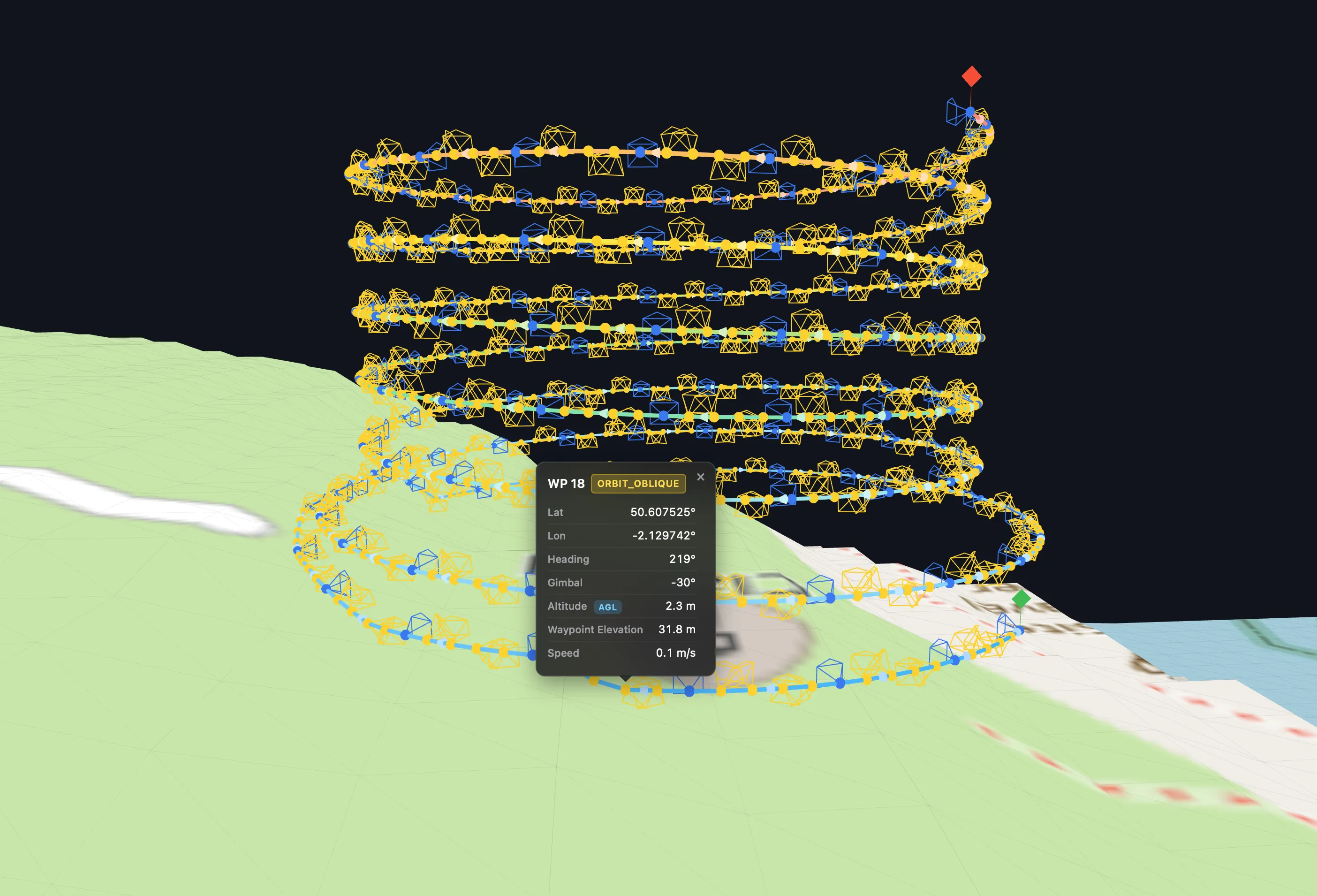
Drop a centre pin and define height layers — each with its own radius, tapering for narrowing structures like towers and turbines. Fly them as individual circles, or as one continuous corkscrew spiral that climbs smoothly from layer to layer. Bottom-up or top-down, your call.
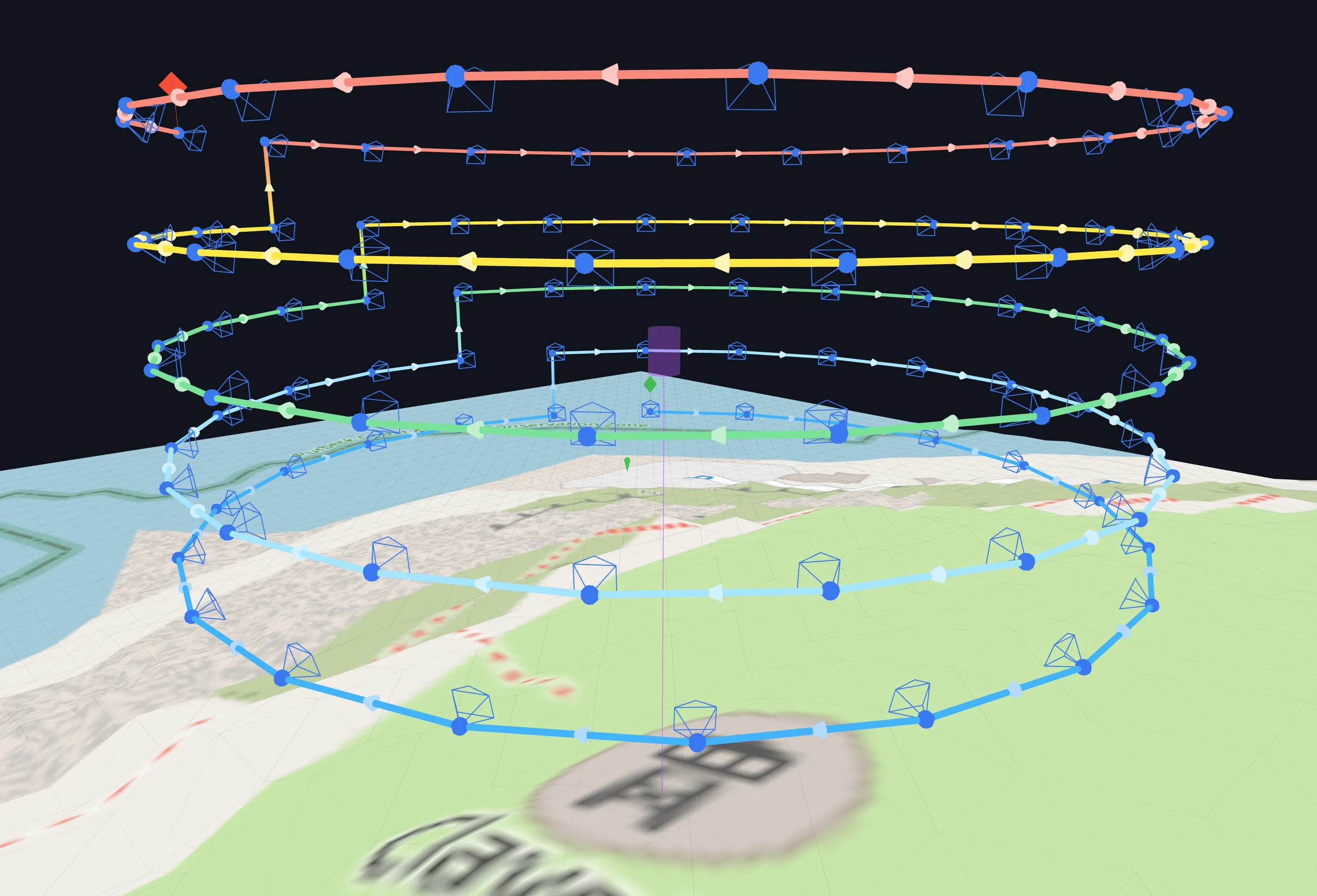
Tell the planner where the subject starts and ends, and the gimbal aims at it the whole way round — tilting up at the base from below, looking straight on alongside it, and down at the top from above. Terrain follow keeps every circle at a safe height over sloping ground.
Façade Mapping with Intelligent Obliques
Vertical surface & wall inspection — draw a line, polyline or polygon and the planner builds obstacle-aware camera positions to photograph the walls.
Façade mapping in depth →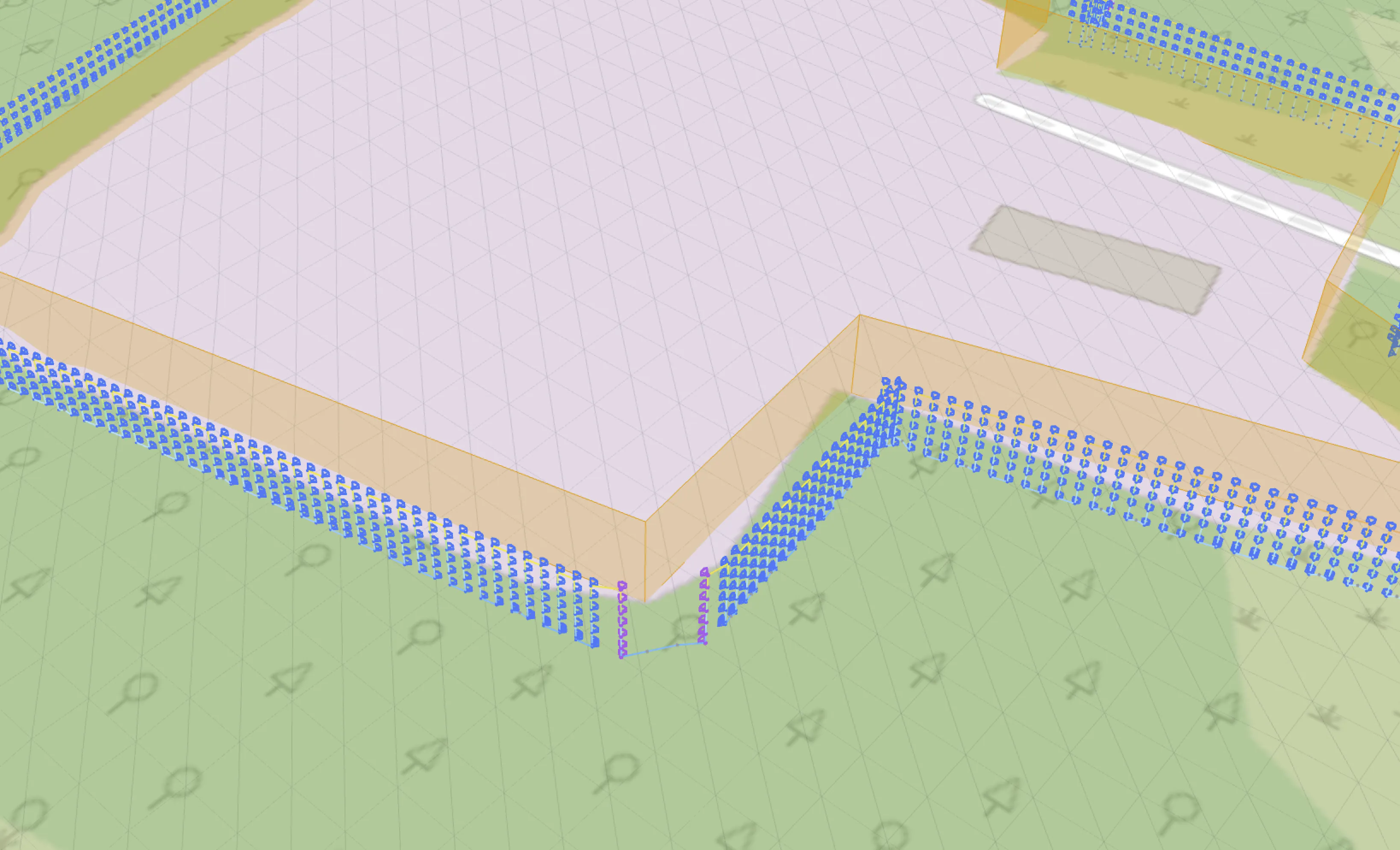
Trace the wall and set a standoff distance (or target GSD) — the planner generates columns of camera stations up and down every surface, with your chosen front and side overlap, automatic corner reconstruction shots, optional roof capture over a closed outline (Advanced), and Intelligent Obliques: each point on the wall can be photographed from up to 8 angled directions plus straight-on, giving reconstruction software the tie points it needs for crisp, complete 3D geometry.
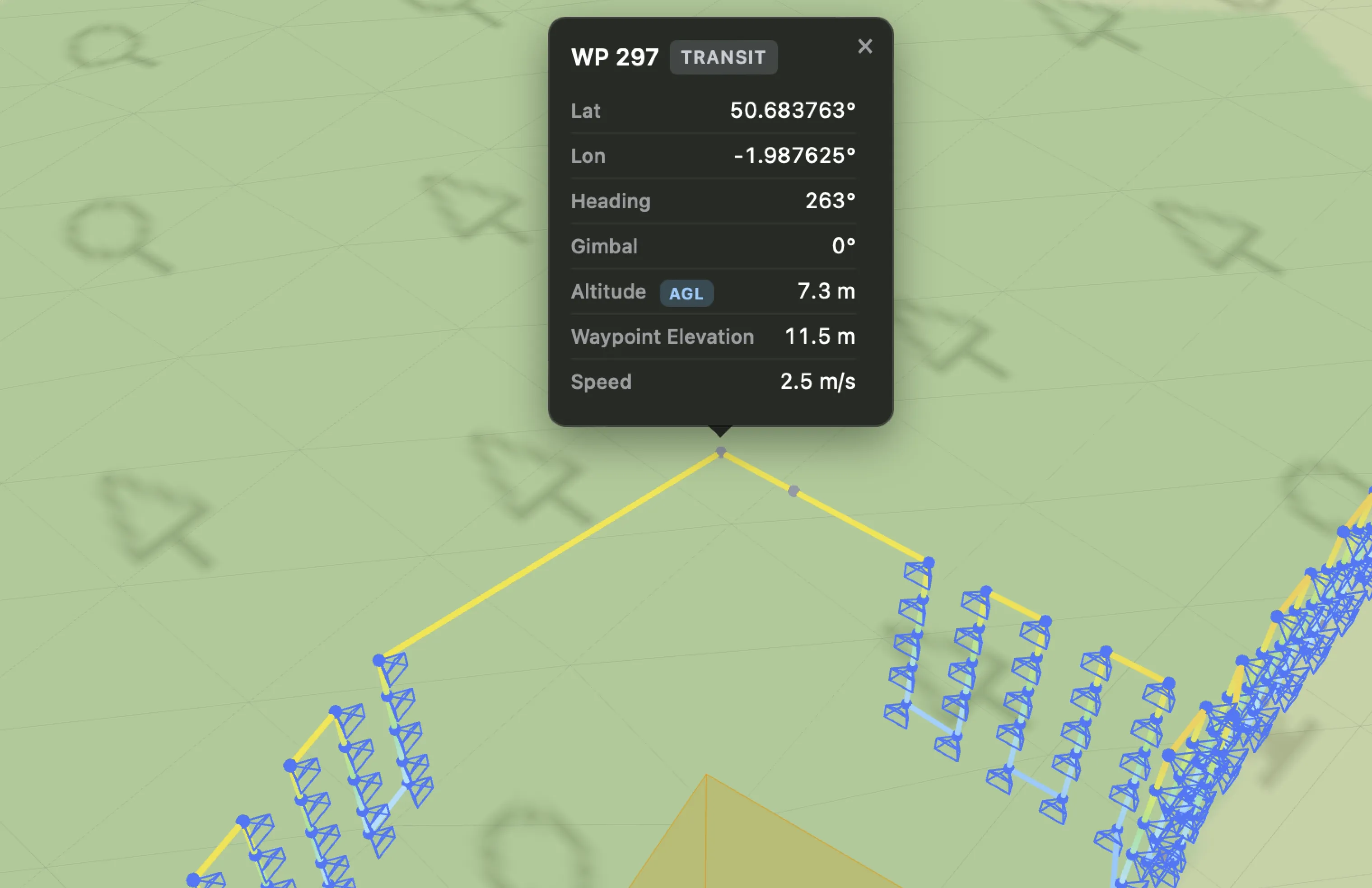
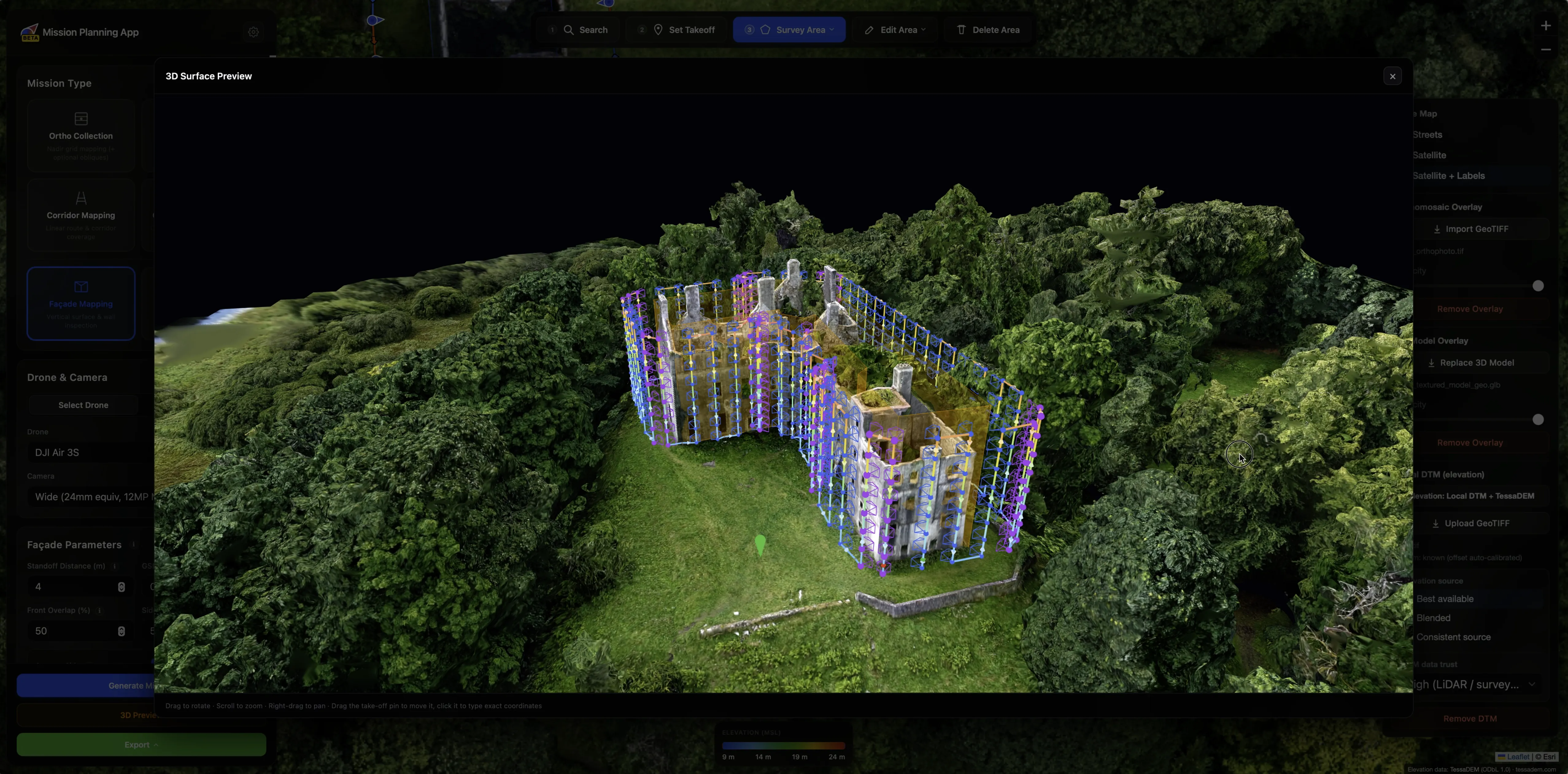
Every flight leg between camera stations is validated against the structure and terrain. Legs that would cut through a wall, graze a corner or dip below the safety floor are automatically repaired with detour waypoints that route around the geometry — or, when you allow it, over the façade with your chosen clearance — honouring your wall clearance and minimum height to ground. Steep terrain is treated as an obstacle too. Verify the whole route in the interactive 3D preview before you fly.
Smart 3D Capture
Photogrammetry mission planning on a real 3D model of your structure — let the mesh itself keep the drone out of trouble.
Smart 3D Capture in depth →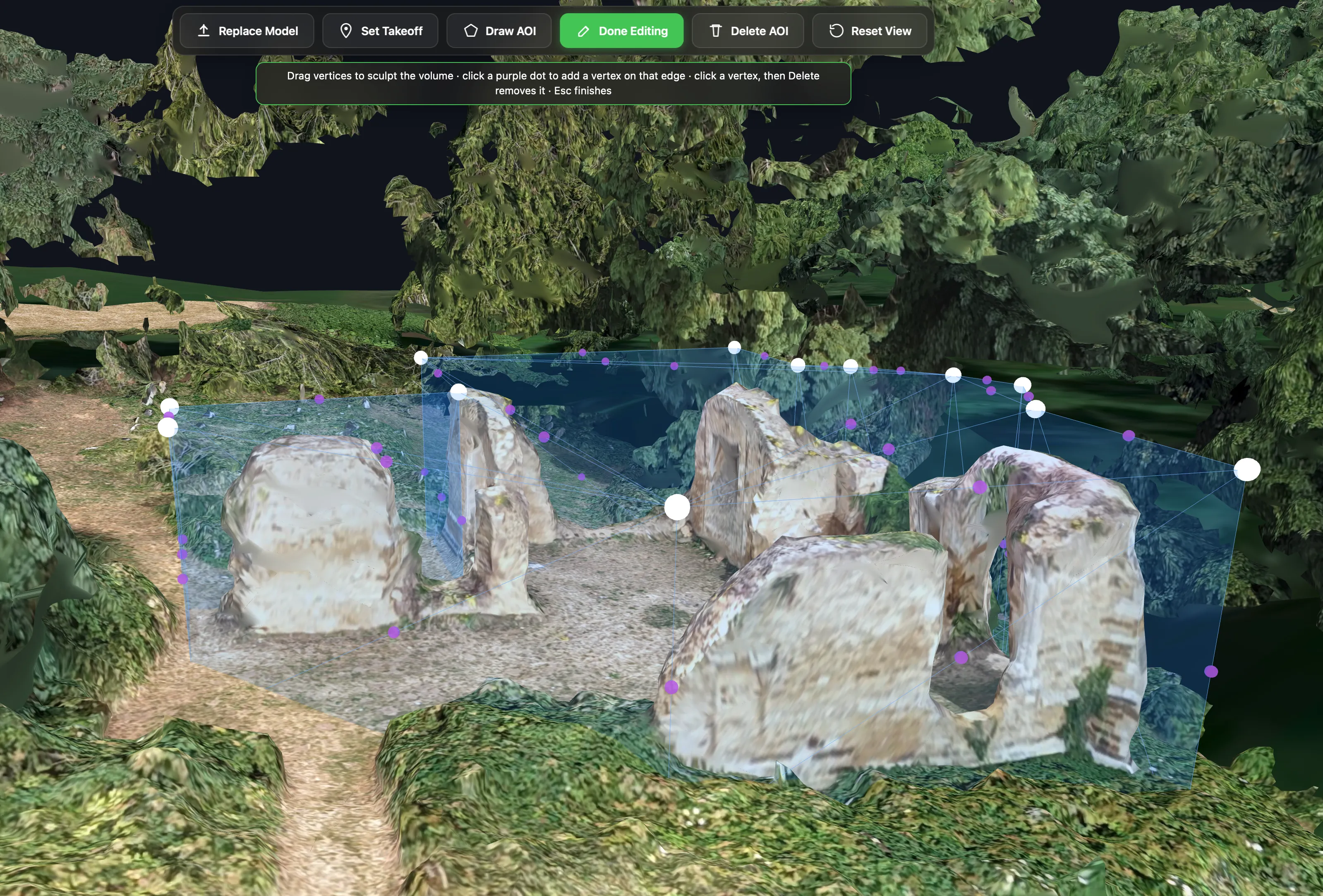
Upload a georeferenced 3D mesh (OBJ / GLB) of the structure and its surrounding terrain — from a quick oblique first pass processed in WebODM, or a model you already have — and draw your area of interest directly on the mesh. No guessing from a top-down map: you mark the actual surfaces you want photographed.
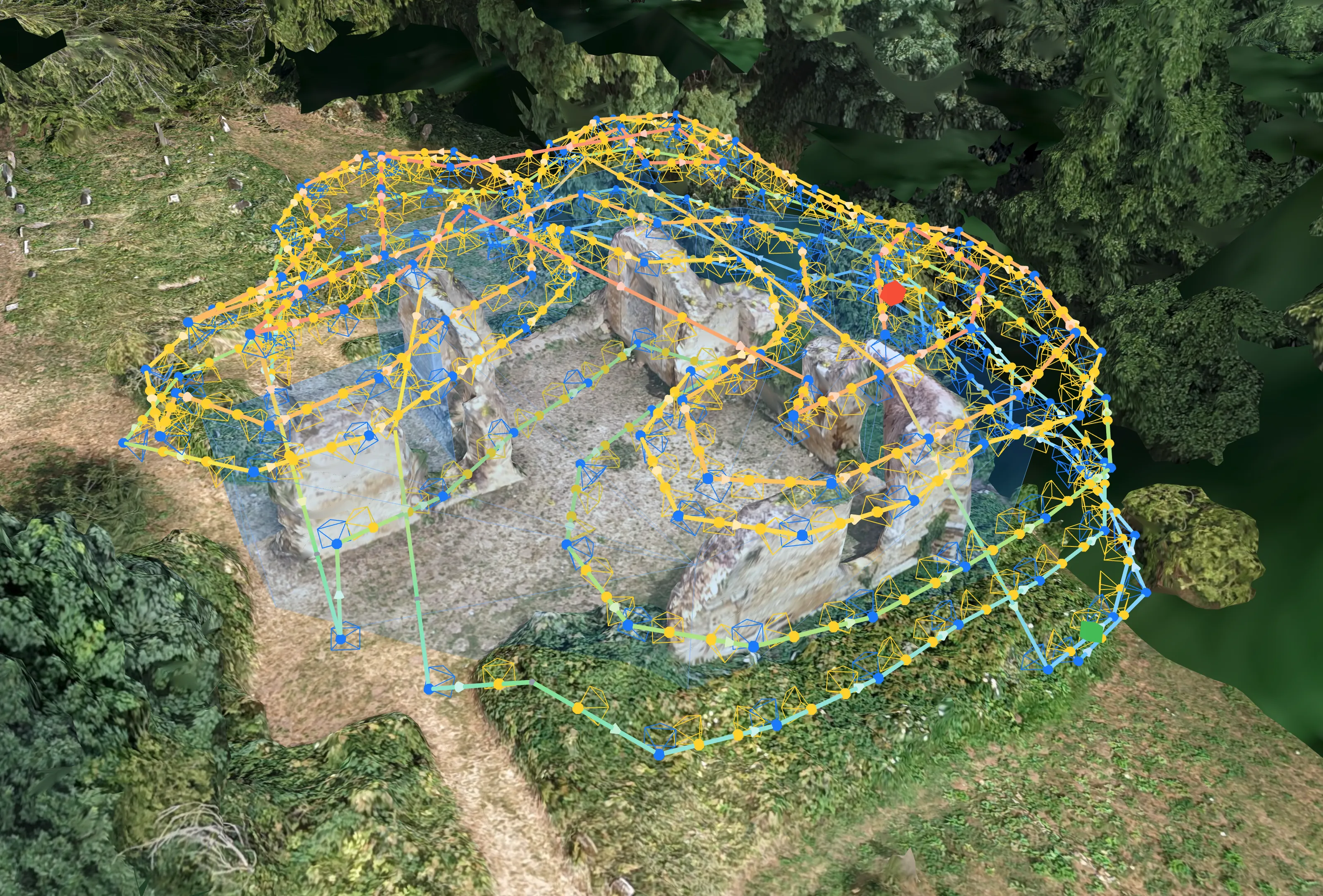
One click and you get the finished, flyable route: loops that wrap around the structure at your standoff distance, with Intelligent Obliques angling extra shots at the surface for a complete reconstruction — the way a Matrice 4E flies DJI's own Smart 3D Capture. Every leg is planned against the mesh itself, so the path clears the geometry from the start.
Your site, not a blank map
Bring your own imagery and terrain data into the planner — processed entirely in your browser, never uploaded — and plan against the ground truth.
Orthomosaic Overlay
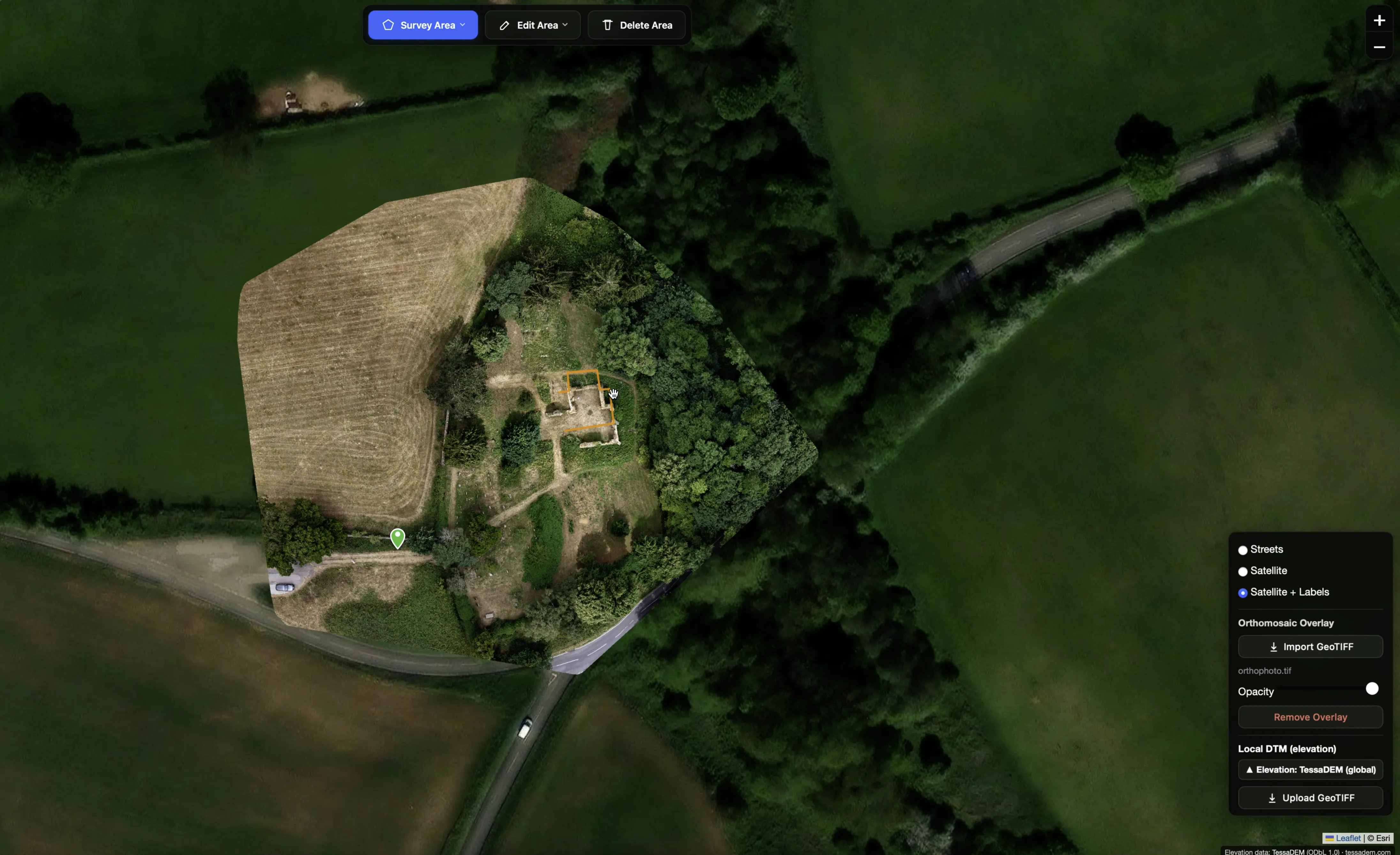
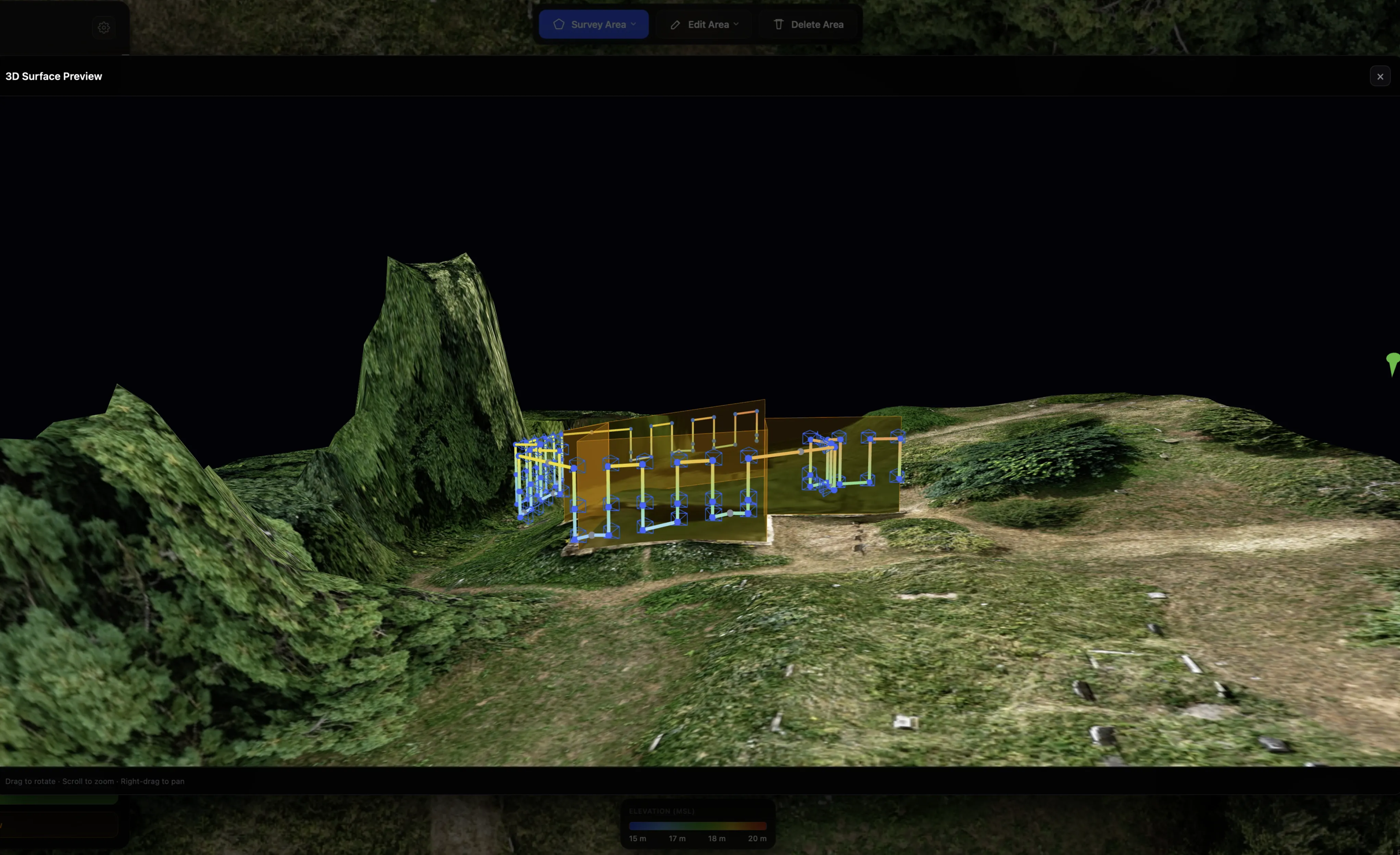
Drop a GeoTIFF orthomosaic straight onto the map — it's parsed, reprojected and draped entirely client-side (your imagery never leaves your machine). See your actual site, at survey resolution, under your flight lines in both 2D and the 3D preview. Perfect for tracing building footprints and façade lines with pixel accuracy.
Local DTM Import
Upload a site-specific bare-earth DTM — for example from a quick preliminary WebODM survey — and it becomes the planner's highest-priority elevation source. Far finer ground detail than global terrain tiles, sampled per waypoint, and the recommended workflow for accurate façade missions. You choose how it combines with global elevation: best available per point, blended with feathered edges so there's no altitude step at the DTM boundary, or one consistent source for the whole mission. Like the ortho overlay, it's processed in-browser and never stored server-side.
3D Model Overlay
Already have a mesh of the site — from a quick WebODM or Metashape run, or an earlier scan? Drop the .obj or .glb into the Map Layers panel, georeference it with the same quick wizard Smart 3D Capture uses, and it appears as a top-down snapshot under your flight lines with its own opacity slider — and seated on the terrain in the 3D preview. It's purely a visual reference for ortho, oblique, corridor, orbit and façade planning: it never touches mission generation, and like everything else here it's rendered in your browser and never uploaded — gone when you close the tab.
Advanced mission controls
Small toggles, measurable difference. Each targets a specific real-world problem in drone survey.
Small details, handled
Frequently asked
Can I fly Smart 3D Capture missions with a DJI Mini or Air?
Yes — that's rather the point. Smart 3D Capture, façade and smart-oblique missions export as standard KMZ (WPML) waypoint missions, so a Mini 4 Pro or an Air 3S flies them natively through DJI Fly. No enterprise drone needed, no dock, no SDK — and if you do fly a Matrice 300/350 RTK, we support that too.
Can a consumer DJI drone map a building façade?
It can, and it's one of our favourite missions to plan. Draw the façade line, set your standoff and target GSD, and the planner builds the vertical capture columns for you — with over-the-façade transit routing so the drone never cuts a corner into the structure.
How does obstacle avoidance work in planned missions?
Routes are planned to clear the geometry from the start: façade and mesh missions compute their standoff against the actual structure, and transit legs route over it rather than through it. In flight the drone follows that plan to its GNSS accuracy (typically ±2–3 m on consumer drones; centimetres on RTK enterprise craft, where the planner relaxes its margin warnings accordingly), so default margins are sized to absorb that error and the planner warns when you set them tighter. Your drone's own onboard obstacle sensing stays active throughout — the plan works with it, not instead of it.
Which drones are supported?
There are presets for the DJI Mini 4 Pro and Mini 5 Pro, Air 3 and 3S, the Mavic 3 series, Mavic 4 Pro and the Lito X1 — plus custom camera profiles if you fly something else. Also supported: the Matrice 300/350 RTK with Zenmuse P1, H20/H20T and L1/L2 payloads, the Mavic 3E/3T/3M (incl. thermal and multispectral mapping) and the Inspire 3 (X9-8K Air) — those export stop-and-shoot sequential waylines for DJI Pilot 2, with optional RTK-grade absolute (WGS84) heights.
Can I export missions to Litchi?
Yes — alongside DJI KMZ (WPML), waypoint missions also export as Litchi CSV, which is handy if you fly an older drone through Litchi. It's marked experimental in the app while we gather field reports.
Is my imagery uploaded anywhere?
No. GeoTIFF orthomosaics, DTMs and 3D model overlays are parsed and rendered entirely in your browser — session-only, and gone when you close the tab.
Ready to plan your next flight?
Create a free account and generate your first mission in minutes.